Building tier 2
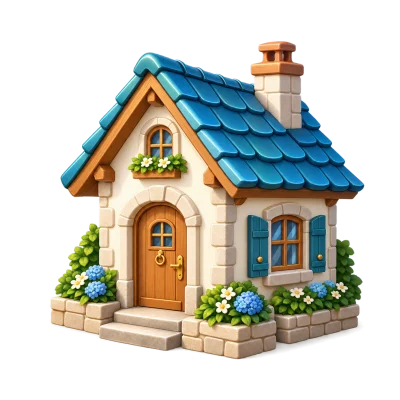
280 stars and a house of at least tier 2.

From your first house to custom marbles. Discover what buildings unlock, how production works and how you fund visitor rewards.
Complete the first 60 campaign levels to unlock the portal, planetary systems and other players’ worlds.
Creating your own planet also requires the player rank. This is a different counter from your current campaign level.
Open the portal, choose planet creation, enter a name and confirm the cost. You start with a tier-1 house and manage construction from your planet view.
Collect fragments numbered 1, 2, 3 and 4. Four copies of the same fragment do not complete the set. Look for missing pieces on the player market.
Choose a building. Its card shows fragments, blueprint availability and whether the building is placed or stored.
Once the design is unlocked, choose “Build” and select a place on the planet. The house has its fixed plot; other buildings use separate plots.
Check the cost and time in the confirmation. An owned blueprint coupon can cover the design cost; builders still charge for their work. The team handles one construction or upgrade at a time.
When construction finishes, the building reaches its target tier. Tap it to open production, upgrading, movement or other available features.
The house has five tiers and ordinary buildings have three. Upgrading requires coins, the required player rank and progression conditions.
| Target house tier | Stars | Completed buildings |
|---|---|---|
| 2 | 240 | 2 |
| 3 | 320 | 4 |
| 4 | 420 | 6 |
| 5 | 520 | 8 |
280 stars and a house of at least tier 2.
420 stars and a house of at least tier 3.
A building can affect visit rules, unlock obstacles and produce items. Explore these three roles separately.

Finished products wait in the building. Open “Production” to collect them into your backpack. Make room first if the backpack is full.
Tiers 1, 2 and 3 store 1, 2 and 3 completed items respectively. Production cycles take 100%, 80% and 65% of the base time.
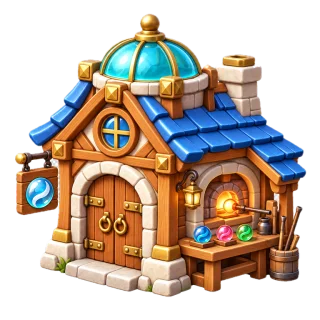
The glass workshop creates marble appearances. It is not an ordinary producer that periodically grants an item.
A full store does not accumulate an unlimited stock. Production pauses during upgrades. Collect regularly to make use of the available capacity.
Placing a building does not automatically select all of its hazards. Choose the mechanics visitors will face.
Choose modern obstacles or classic hazards. The two systems cannot be combined; available helpers can accompany either.
Modern obstacles: up to three types, unlocked by the matching building tiers. Each uses budget points, and the game allows only compatible sets. Classic hazards: up to two; helpers: up to three.
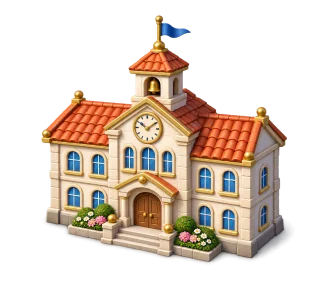
Locker → pencil case → lesson plan
The fund secures visitor rewards. Some coins may be reserved for ongoing attempts, leaving only the unreserved amount available to withdraw.
Amounts are in-game coins. The gross reward includes the entry fee; it is not an extra amount on top.
The visitor receives the displayed gross prize. The owner funds the difference from the reserved portion of the fund.
The owner receives the entry minus the system fee. This is not guaranteed income; it depends on visits and their outcomes.
Build the workshop, choose a slot in your planet palette and unlock a recipe with the displayed materials and coins. Once unlocked, a recipe can be reapplied without paying the unlock cost again.
Your first colours and the basic pattern.
Wave, orbits, spiral and petals.
Constellation, comet and zigzag. Two-colour variants combine recipes with the same pattern.
Materials come from sources including production and discoveries. This customises marbles on your planet; it is not a one-use campaign superpower.
Tap an object and use its menu. Storage helps you rearrange the planet without buying the same building again.
Decorations have separate positions; up to 40 fit on a planet. Leave space between objects.
Play a practice run and see whether the obstacles and helpers make an enjoyable challenge. A beautiful world should play well too.